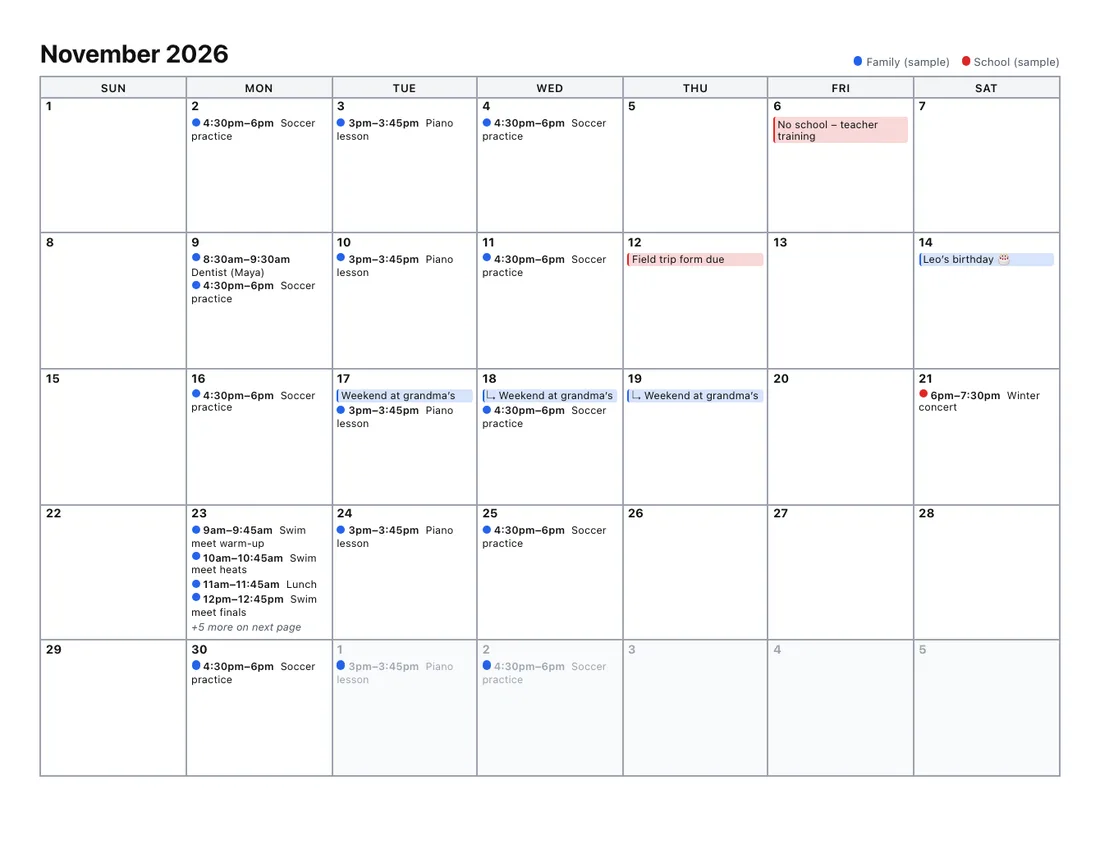
Save your Outlook calendar as a file, drop it here, and print it as a clean agenda list, a
month grid that doesn’t cut events off, a week planner or a page per day.
Every layout is tested by printing it to PDF on Letter and A4 paper, so the preview is what you get. Your file stays in your browser.
Get your calendar file out of Outlook
How you do this depends on which Outlook you use:
-
Classic Outlook for Windows: open the calendar, then choose
File › Save Calendar. Use More Options to pick the date
range and “Full details”, then save the .ics file.
-
Outlook on the web, Outlook.com and the new Outlook for Windows: there is no
direct .ics export. Publish the calendar in settings to get an ICS link, open the link to
download the file, then stop publishing.
-
Outlook for Mac: the simplest route is usually to publish the calendar from
Outlook on the web, as above.
Full steps with screenshots are in our
guide to exporting an Outlook calendar.
Why print Outlook calendars here?
Classic Outlook has several print styles, but the new Outlook for Windows prints far fewer
layouts. Many people miss the full-month landscape page and the calendar-with-details list. This
tool gives you those layouts back, plus a few extras:
- A month grid where busy days never lose events.
- An agenda list with descriptions, locations and guests.
- Several months or a whole year in one print, including a year-at-a-glance page.
- Your Outlook calendar together with Google, Apple or school calendars, color-coded.
Frequently asked questions
- How do I print my Outlook calendar as a list?
- Load your Outlook calendar file above and choose the Agenda list layout. Each day with events gets a heading, with times, titles, locations and, if you like, descriptions and guests.
- How do I get an .ics file from the new Outlook for Windows?
- The new Outlook doesn’t have classic Outlook’s “Save Calendar” command. Publish the calendar in Outlook settings (Calendar › Shared calendars › Publish a calendar), copy the ICS link it gives you, paste it in the link box above and click Load, then unpublish it. No file needed. Our Outlook export guide walks through it.
- Can I print an Outlook month view with all the details?
- Yes. Choose Month grid. Busy days that don’t fit continue on a marked “continued” page, or you can let busy weeks grow so everything stays in the grid.
- Will Outlook time zones come out right?
- Yes. Outlook names time zones like “Eastern Standard Time” and includes the rules in the file; the tool reads them, handles daylight saving and converts times to the time zone you choose.
- Can I combine my Outlook calendar with a Google or family calendar?
- Yes. Add as many .ics files as you like. Each gets a color and appears in the legend. See combine calendars and print.
- Is my Outlook calendar uploaded?
- No. The file is read in your browser and never leaves your computer.