Skip to content
PrintNicely
Language: English

Combine several calendars into one printable calendar

Put your own calendar, your partner’s, the kids’ school and sports schedules on one page. Add each calendar file, give them colors, and print a single family calendar.

Don’t have your file yet? Export Google Calendar → Export Outlook →

1. Add your calendar

Where do I find my calendar’s link?
  1. Google Calendar: Settings › your calendar › Integrate calendar › “Secret address in iCal format”.
  2. Outlook: Settings › Calendar › Shared calendars › Publish › ICS link.
  3. iCloud: share the calendar as a Public Calendar and copy its link.
  4. Schools, teams and event sites: copy the iCal, ICS or webcal link.

For calendar links that end in .ics, start with webcal://, or come from “Publish” or “Subscribe” options. Our server downloads the file and passes it straight to your browser; the link and the calendar are not stored or logged.

Or add an exported file

Drop one or more calendar files (.ics), or Google Calendar’s export .zip.

Your files are read in this browser only. Nothing is uploaded.

2. Choose how it prints

Layout
Design
Dates
Busy days
Show
More options
Text size
0
Filter events

To save a PDF, choose “Save as PDF” as the printer. Turn off the browser’s “Headers and footers” option for a cleaner page.

Preview

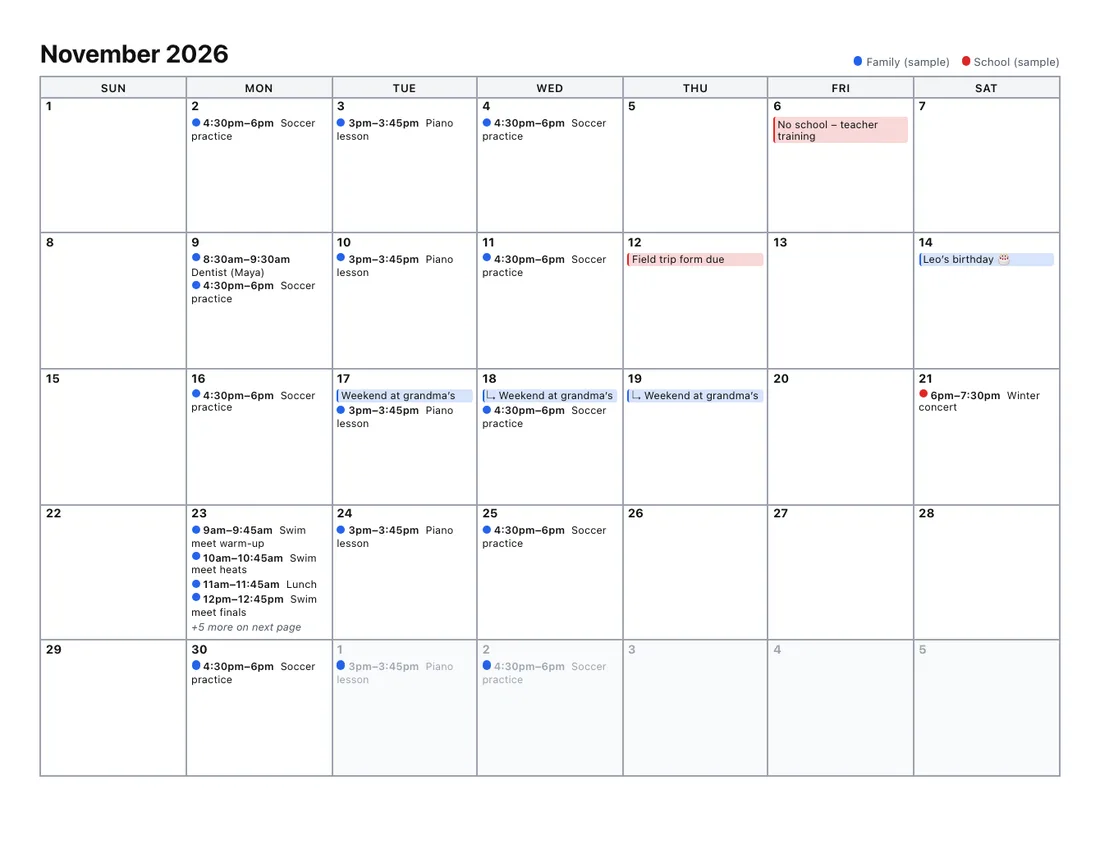
A month per page; busy days continue on a marked page.Example

Add a calendar file or try the sample to see your printout here.

Every layout is tested by printing it to PDF on Letter and A4 paper, so the preview is what you get. Your file stays in your browser.

How to make one calendar from several

  1. Collect the calendar files. Export each calendar as an .ics file: from Google Calendar, from Outlook, or from Apple Calendar (File › Export). Many schools and clubs offer a “download calendar” or iCal link too.
  2. Add them all above. You can add files in several batches.
  3. Set colors and a title, such as “The Garcia family”, then choose a layout and print.

Good layouts for a family calendar

  • Month grid, landscape, large print for the fridge or a wall planner.
  • Week planner for a weekly “who’s doing what” sheet with times and places.
  • Year overview to spot busy weeks and holidays at a glance.

Shared calendars inside one Google account can already be printed together from Google itself. This tool is for the cases Google can’t handle: calendars from different accounts or different apps.

Frequently asked questions

Can I combine Google and Outlook calendars into one printout?
Yes. Any calendar that can be saved as an .ics file works: Google Calendar, Outlook, Apple Calendar, school and sports-club calendars. Add the files together and they print as one calendar.
How are the calendars told apart?
Each calendar gets its own color, shown as a dot or bar next to its events and in a legend at the top of every page. You can change the colors before printing. In black-and-white mode they print as different shades.
Does combining change my calendars?
No. The tool only reads copies of the files in your browser. Your real calendars are never changed, and nothing is uploaded.
What if two calendars are in different time zones?
All events are converted to the one time zone you choose, so a 9am Berlin meeting and a 9am New York call appear in the right order.
Is there a limit?
You can add many calendars, up to 60 MB of files in total, and print up to 3 years at a time.