Skip to content
PrintNicely
Language: English

Print an .ics calendar file

Got an .ics file from Apple Calendar, a school, a sports club or an event site? Turn it into a clean printed calendar or a PDF: month, week, agenda or a whole year.

Don’t have your file yet? Where to get an .ics file → Google Calendar → Outlook →

1. Add your calendar

Where do I find my calendar’s link?
  1. Google Calendar: Settings › your calendar › Integrate calendar › “Secret address in iCal format”.
  2. Outlook: Settings › Calendar › Shared calendars › Publish › ICS link.
  3. iCloud: share the calendar as a Public Calendar and copy its link.
  4. Schools, teams and event sites: copy the iCal, ICS or webcal link.

For calendar links that end in .ics, start with webcal://, or come from “Publish” or “Subscribe” options. Our server downloads the file and passes it straight to your browser; the link and the calendar are not stored or logged.

Or add an exported file

Drop one or more calendar files (.ics), or Google Calendar’s export .zip.

Your files are read in this browser only. Nothing is uploaded.

2. Choose how it prints

Layout
Design
Dates
Busy days
Show
More options
Text size
0
Filter events

To save a PDF, choose “Save as PDF” as the printer. Turn off the browser’s “Headers and footers” option for a cleaner page.

Preview

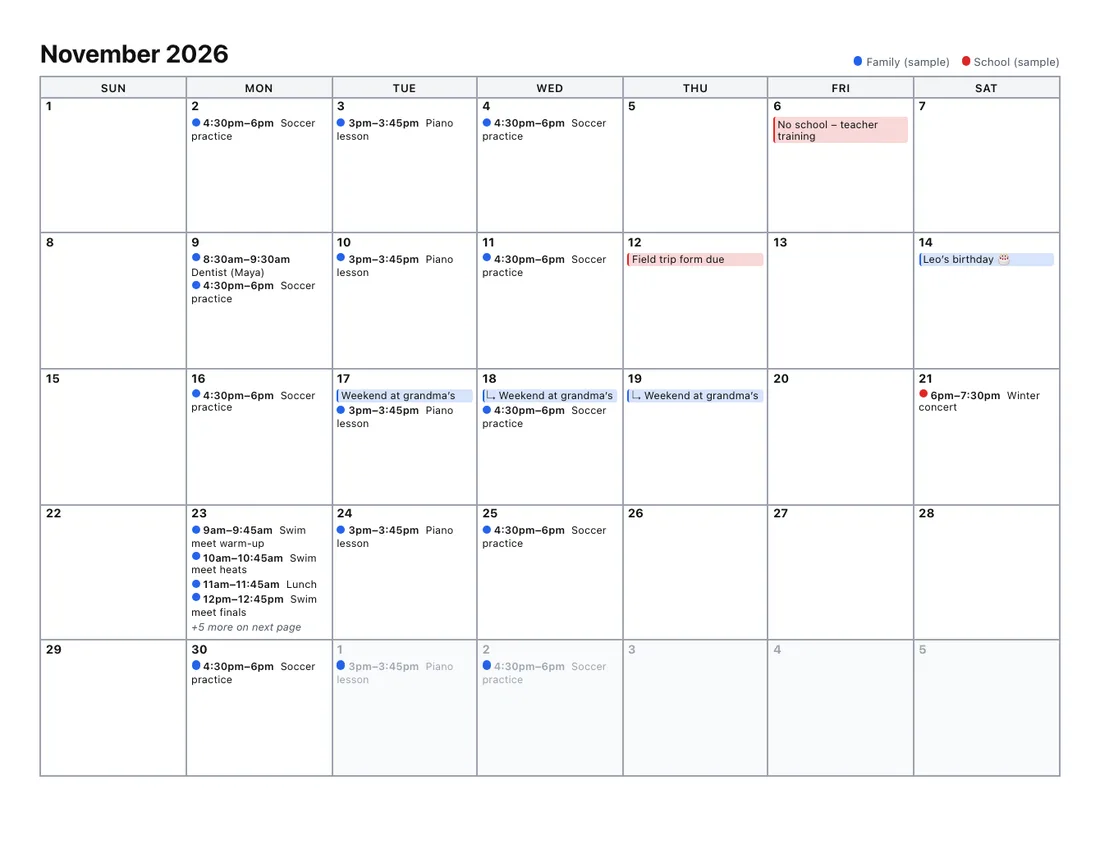
A month per page; busy days continue on a marked page.Example

Add a calendar file or try the sample to see your printout here.

Every layout is tested by printing it to PDF on Letter and A4 paper, so the preview is what you get. Your file stays in your browser.

Where to get an .ics file

  • Apple Calendar on a Mac: select a calendar in the sidebar, then File › Export › Export….
  • iCloud Calendar: on iCloud.com, share the calendar as a Public Calendar and copy its link (it starts with webcal://). Paste it under Or paste a calendar link above, then stop sharing.
  • Google Calendar and Outlook: see print Google Calendar and print Outlook calendar.
  • Schools, teams and event sites: look for “Add to calendar”, “Download .ics” or “iCal”.

Better than an “ICS to PDF” converter

Most converters print the events as a plain list of text. Here you get:

  • Real calendar layouts: month, week by hour, agenda, day, year and more.
  • Repeating events expanded, with exceptions and time zones handled.
  • Several files merged into one color-coded calendar.
  • Nothing uploaded: the file is read in your browser.
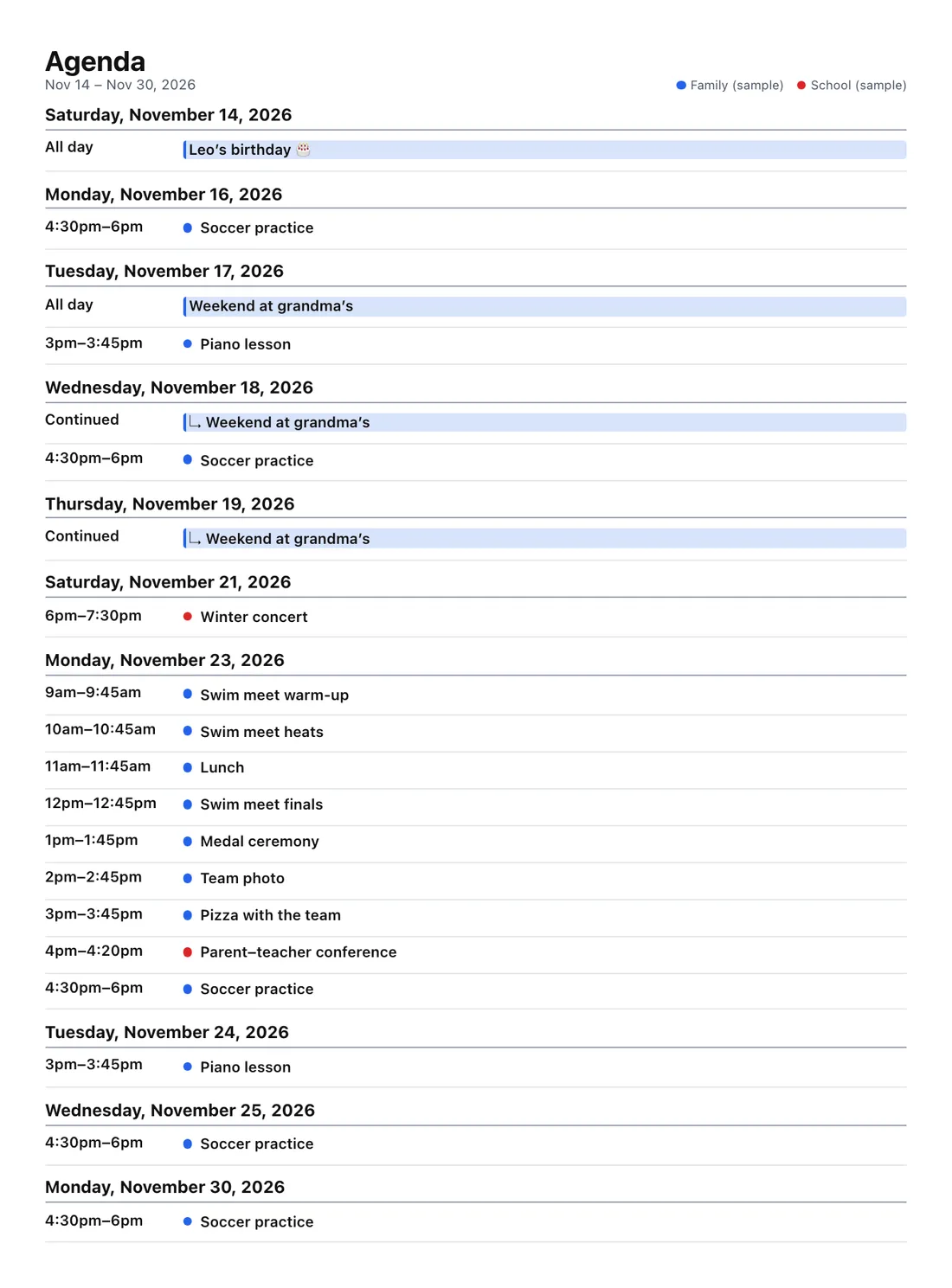
Printed agenda list of events with times and locations
Agenda: every event in one list, with times, places and notes.

Frequently asked questions

How do I turn an .ics file into a PDF?
Drop the .ics file above, choose a layout such as Month or Agenda, click Print or save as PDF and pick “Save as PDF” as the printer. You get a real calendar page, not a dump of the file’s text.
How do I export a calendar from Apple Calendar on a Mac?
In the Calendar app, select the calendar in the sidebar, then choose File › Export › Export… and save the .ics file. Repeat for each calendar you want to print together.
Are repeating events included?
Yes. Repeating events are expanded for the dates you print, including exceptions such as a cancelled or moved meeting, and time zones are converted correctly.
I only have a link to the calendar (webcal:// or .ics). Can I print it?
Yes. Paste the link under Or paste a calendar link and click Load. Browsers can’t download most calendar links themselves, so our server fetches the file and passes it straight to your browser without storing or logging it. School, team and holiday calendars usually work this way.
Can I print several .ics files together?
Yes. Add as many as you like; each one gets its own color and a legend on every page.
Is the file uploaded?
No. It is read in your browser and never leaves your device.