Skip to content
PrintNicely
Language: English

Print Google Calendar as a list

An agenda list of every event, day by day, with the details you choose. Ideal for itineraries, schedules to hand out, and records.

Don’t have your file yet? How to export your Google Calendar →

1. Add your calendar

Where do I find my calendar’s link?
  1. On a computer, open Google Calendar › ⚙ › Settings.
  2. On the left, under “Settings for my calendars”, click your calendar.
  3. Scroll to “Integrate calendar” and copy “Secret address in iCal format”.
  4. Paste it above and click Load. Keep that address private: anyone who has it can see your calendar.

For calendar links that end in .ics, start with webcal://, or come from “Publish” or “Subscribe” options. Our server downloads the file and passes it straight to your browser; the link and the calendar are not stored or logged.

Or add an exported file

Drop the .zip from Google Calendar’s export, or one or more .ics files.

Your files are read in this browser only. Nothing is uploaded.

2. Choose how it prints

Layout
Design
Dates
Show
More options
Text size
0
Filter events

To save a PDF, choose “Save as PDF” as the printer. Turn off the browser’s “Headers and footers” option for a cleaner page.

Preview

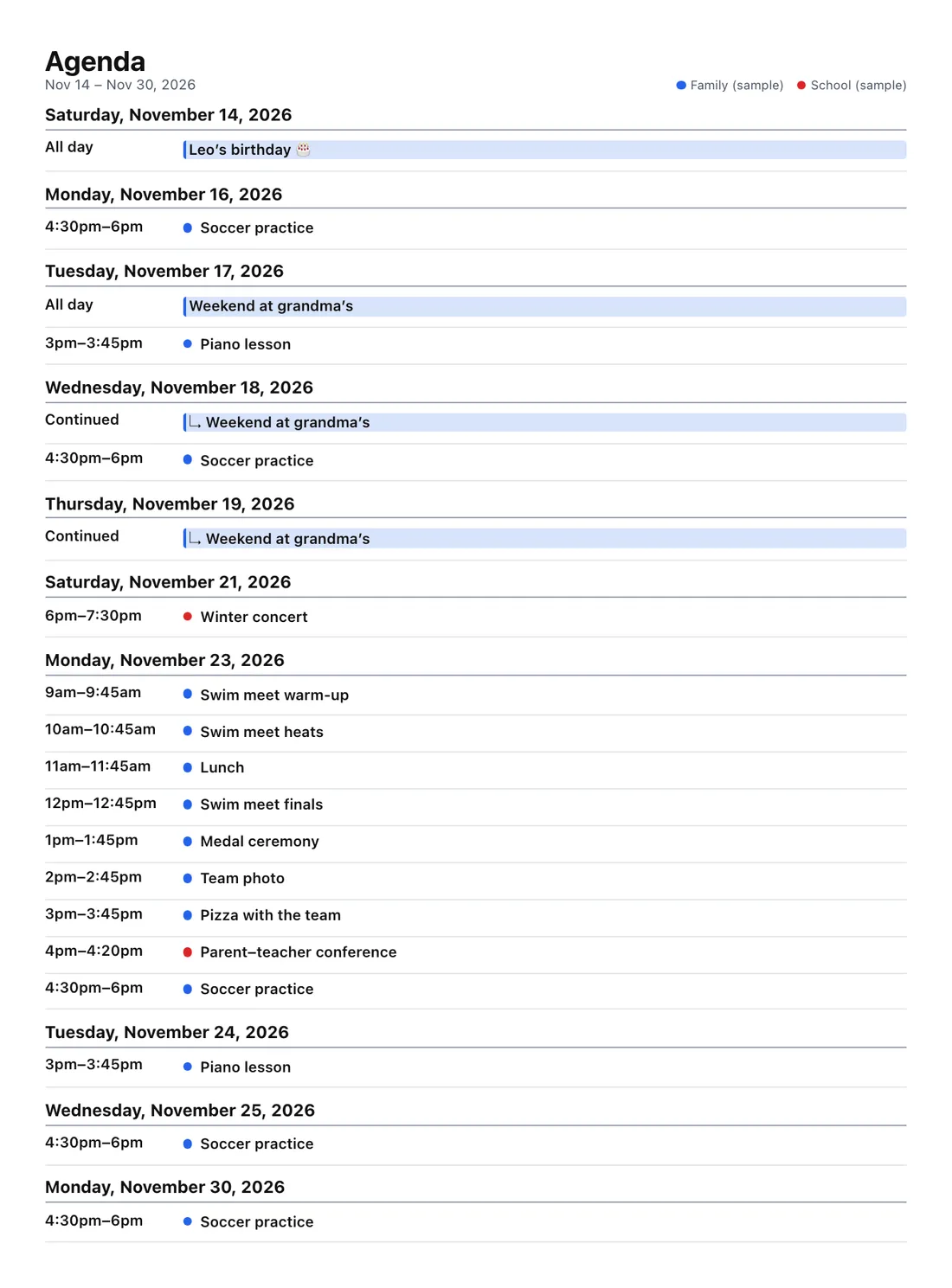
Every day with events, as one list.Example

Add a calendar file or try the sample to see your printout here.

Every layout is tested by printing it to PDF on Letter and A4 paper, so the preview is what you get. Your file stays in your browser.

List layouts

A printed agenda list grouped by day with times, event titles and an all-day trip
Agenda list: every day with events, one continuous list.
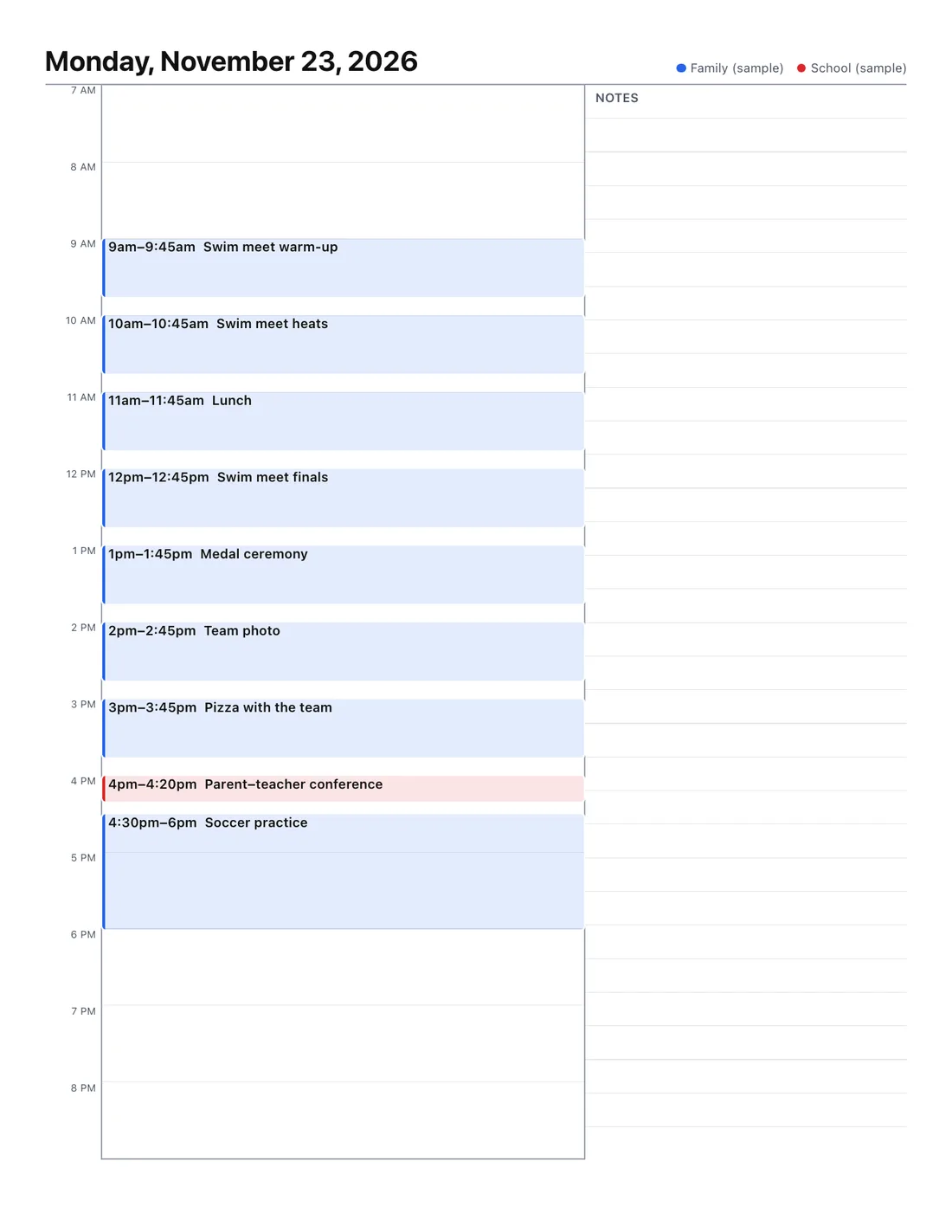
A printed daily planner for Monday, November 23 with events in their time slots and a lined notes column
Daily planner: hours, events in their slots, and room for notes.

What you can include

  • Times, locations, descriptions and guests: switch each on or off.
  • Filters: only events containing certain words, or hide some.
  • Several calendars, each in its own color, even from different accounts.
  • Any date range up to three years; long lists continue neatly onto more pages.
  • CSV download of exactly what you filtered.

Get your Google Calendar file

On a computer: Google Calendar › gear icon › Settings › Import & export › Export. Drop the .zip above. Full export guide.

Also see: month view and week view.

Frequently asked questions

Can Google Calendar print a list of events?
Yes: switch to Schedule view and use Print. It prints a list, and “Print descriptions” adds details. The agenda list here adds guests, merged calendars from different accounts, filters and long date ranges in one go.
How do I print only certain events?
Open “Filter events” and type words the events must contain (for example “soccer, school”), or words to leave out. You can also hide all-day events, private events and invitations you declined.
Can I print one page per day?
Yes. Choose “Day per page” for a full list of each day, or “Daily planner” for hours with events in their slots and a notes column.
Can I get the list as a spreadsheet?
Yes. “Download events as CSV” saves the filtered events for the chosen dates, ready for Excel or Google Sheets.